Tile-to-Miniature Base Cutting Die (STL)
- Description
- Reviews
- Files
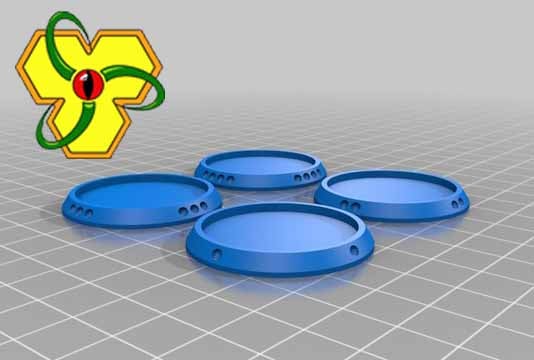
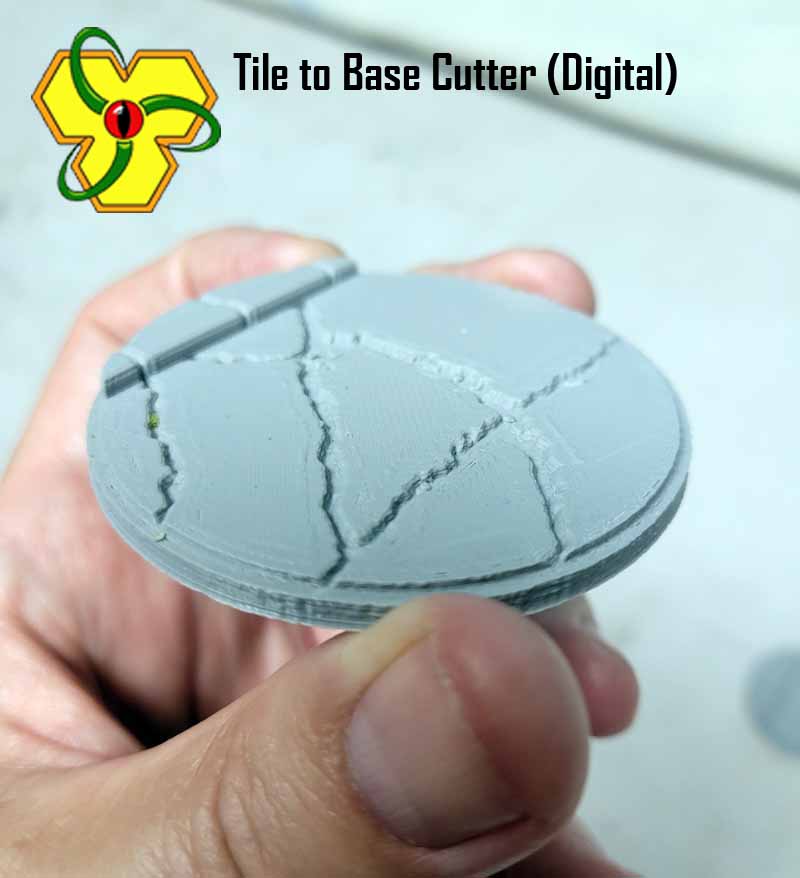
Tool and die set that I designed to digitally create my own custom basing from any existing terrain tile sets. Access to and basic knowledge of 3D Builder or similar software would prove advantageous.
*******
NOTICE - The tiles that you are cutting with these tools are someone else's intellectual property, don't be doing foolish things with them! Final products should be for your own personal use unless you have rights or permission of the original tile artist.
*******
“Quick and Dirty” tools to extract and produce round two-tiered bases sized for use with a variety of games using whatever digital 3D tile sets you might have in your collection. These are STL files that can be printed, but would be of little use in the physical realm unless you want to squish Plasticine or something?
Stamps for the following outer and inner cut sizes:
35/32mm
50/47mm
65/62mm
These cutter/tool dies should work for you if re-scale for smaller or larger bases. 25mm MDF basing shown for comparison.
For personal use only, digital files and physical end products you produce are not intended for commercial resale. © 2022 Yellow Sign Studio is licensed under CC BY-NC-ND 4.0.
How to use in 3D Builder:
Import tile
Split horizontally keeping top texture of tile and discarding bottom clips
Drop remaining tile to surface and center where you please
Insert>Add>Master Base Cutout at desired size
Move Master Base Cutout to x/y location on tile and drop it through the Z to fully cut through tile
Keep cutout selected, tile deselected, and subtract
Select the outer tile and delete, what's left is your base - Center the base at x=0 and y=0
Insert>Add>correspondingly sized Topper Base cutout - Center the cutout at x=0 and y=0 also
Raise the topper cutout half way up the base (a few mm - depending on the thickness of your base)
Keep cutout selected, base deselected, and subtract
Voila, custom base, repeat Ad Nauseum!
*******
NOTICE - The tiles that you are cutting with these tools are someone else's intellectual property, don't be doing foolish things with them! Final products should be for your own personal use unless you have rights or permission of the original tile artist.
*******
“Quick and Dirty” tools to extract and produce round two-tiered bases sized for use with a variety of games using whatever digital 3D tile sets you might have in your collection. These are STL files that can be printed, but would be of little use in the physical realm unless you want to squish Plasticine or something?
Stamps for the following outer and inner cut sizes:
35/32mm
50/47mm
65/62mm
These cutter/tool dies should work for you if re-scale for smaller or larger bases. 25mm MDF basing shown for comparison.
For personal use only, digital files and physical end products you produce are not intended for commercial resale. © 2022 Yellow Sign Studio is licensed under CC BY-NC-ND 4.0.
How to use in 3D Builder:
Import tile
Split horizontally keeping top texture of tile and discarding bottom clips
Drop remaining tile to surface and center where you please
Insert>Add>Master Base Cutout at desired size
Move Master Base Cutout to x/y location on tile and drop it through the Z to fully cut through tile
Keep cutout selected, tile deselected, and subtract
Select the outer tile and delete, what's left is your base - Center the base at x=0 and y=0
Insert>Add>correspondingly sized Topper Base cutout - Center the cutout at x=0 and y=0 also
Raise the topper cutout half way up the base (a few mm - depending on the thickness of your base)
Keep cutout selected, base deselected, and subtract
Voila, custom base, repeat Ad Nauseum!
No one's reviewed this product yet. Let people know if you enjoyed this model!
| Filename | Size | Last updated |
|---|---|---|
| Master Base Cutout Stamps.zip | 631.4 KiB | 2026-01-16 |

More magnificent creations from Yellow Sign Studio - see more